
Most mixes sound muddy at low volume not because the bass is too loud, but because one or two low-mid frequencies are piling up unchecked. A parametric EQ finds and fixes that. Three knobs per band: frequency, gain in dB, Q for width. Learning parametric EQ is combining those three moves across bands. Everything else—vocal de-esser, kick shape, mastering move—is the same tool used differently.

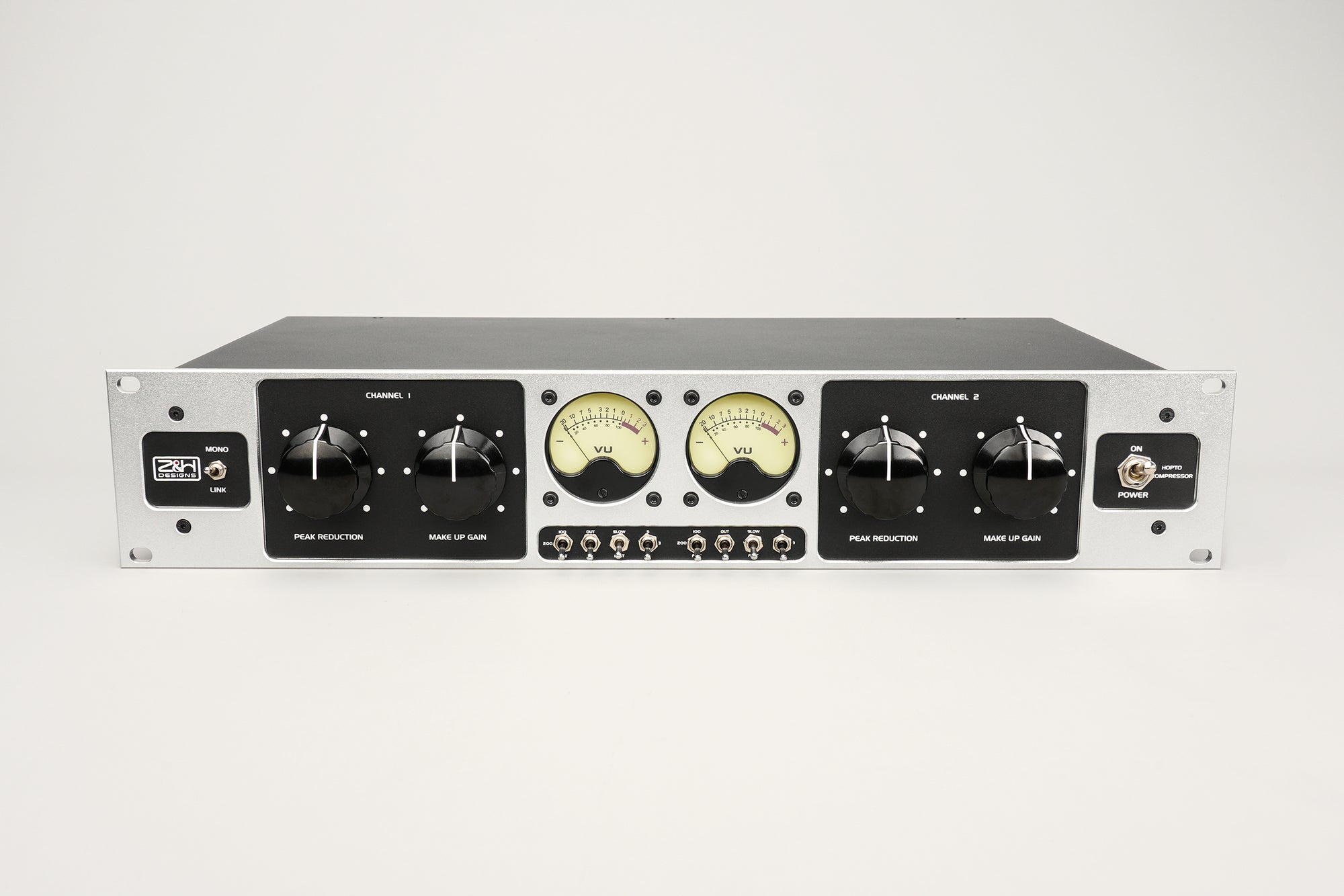
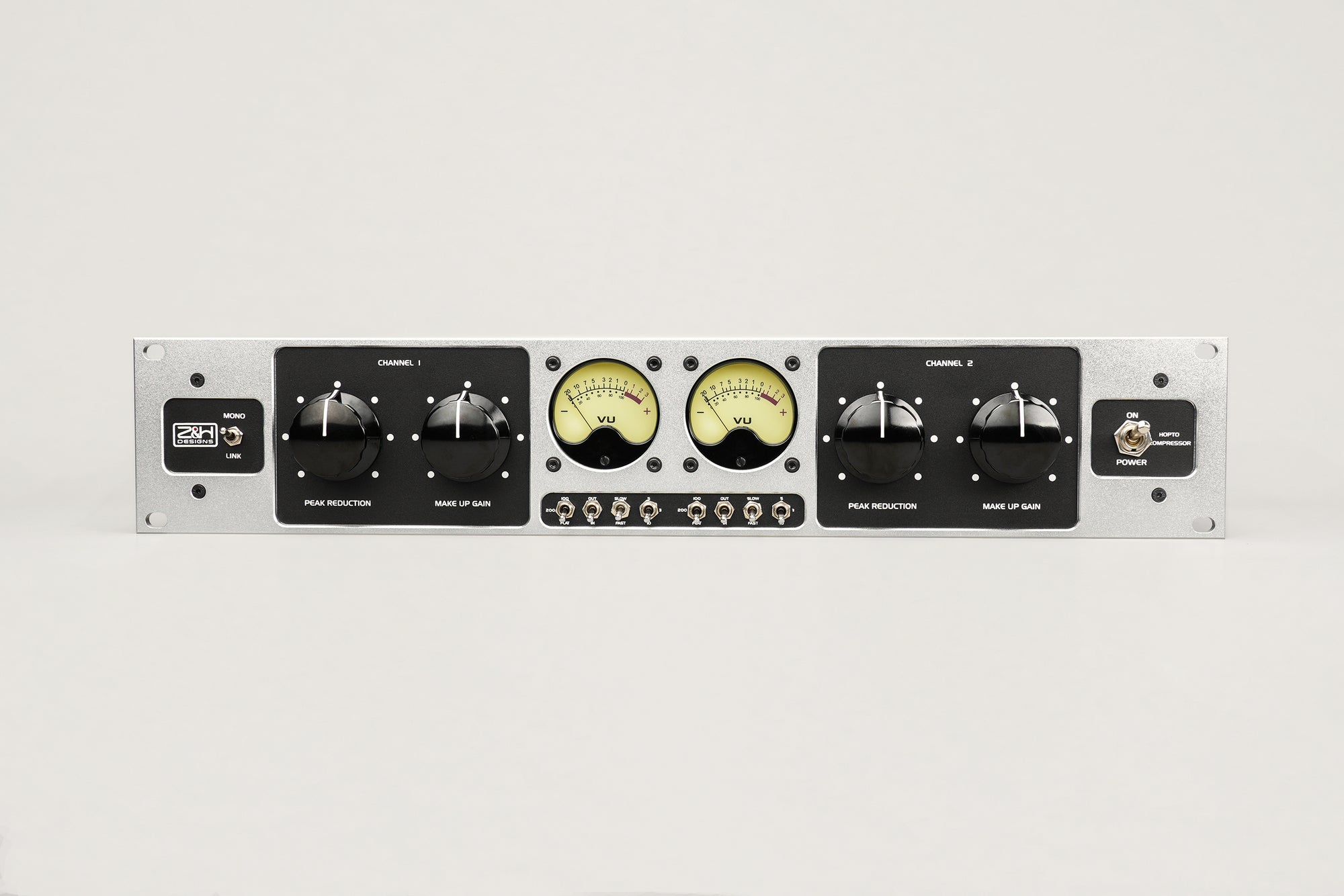
The Z&H HVC250 Stereo 5-Band Parametric EQ. Five parametric bands per channel.
What Is a Parametric EQ?
A parametric EQ is an equalizer where every parameter of every band is adjustable: frequency, gain in dB, and Q for bandwidth. Most offer four to six bands plus a high-pass and sometimes a low-pass.
Three cousins to keep straight:
A graphic EQ splits the spectrum into fixed bands, usually 31 at 1/3-octave intervals, with one slider each. Fast, visual, not surgical.
A semi-parametric lets you sweep the frequency but locks Q. Common on channel strips where quick beats deep.
A shelving EQ lifts or drops everything above (high shelf) or below (low shelf) a corner frequency. Musical for broad tilts; most parametric EQs have shelves on the outermost bands as a bonus.
Parametric won the studio world because free frequency, gain, and Q per band do everything the others do, plus surgical precision. The topology traces to the ITI ME-230 of 1971 by Burgess Macneal and George Massenburg, the first commercial parametric EQ. Macneal founded Sontec in 1975; the MEP-250 became a mastering standard still in top rooms. Manley's Massive Passive, API's 550, GML's 8200 (Massenburg's later design), Avalon's AD2055, and Neve's 8803 round out the names engineers cite.
Parametric EQ vs Graphic EQ vs Semi-Parametric: Which One When?
| Type | Frequency control | Q control | Best for |
|---|---|---|---|
| Parametric | Continuous or stepped | Fully adjustable | Studio mixing, mastering, surgical work |
| Semi-parametric | Continuous | Fixed | Channel strip, quick tonal shaping |
| Graphic | Fixed (31 bands typical) | Fixed | Live sound, monitor EQ, broad tone |
| Shelving | Continuous corner | Not applicable | Broad low or high tilts, air boosts |
These are complementary, not rivals. Live engineers run graphic EQs on wedges to catch feedback; parametric EQs (API 550 on a channel, HVC250 on the vocal bus, Sontec on the master) do the tonal work. Pick by the problem, not the brand.

An API 550-series EQ in Control Room A at In Your Ear Studios. One of the most common parametric EQs in American rooms. Source: Wikimedia Commons.
How to Use a Parametric EQ: The Workflow That Actually Works
EQ moves have a specific order that produces cleaner results than random flailing. Most engineers follow some version of this.
First: High-Pass Filter Every Non-Bass Source
Before touching any peaking band, engage the HPF on everything that is not a bass instrument. 60 to 100 Hz is a safe starting point; drums and overheads sit higher than you would guess.
Every source captures rumble, HVAC, stand vibration, or bleed. None is musical, all of it stacks across twenty tracks and eats compressor gain reduction. High-passing is the fastest cleanup move in mixing. The mix tightens immediately.
Next: Subtractive EQ (Sweep and Cut) Before Additive
The "boost and sweep" method is the fastest way to find problem frequencies:
- Set a peaking band to plus 6 to 8 dB (deliberately excessive).
- Set Q to medium-narrow, 2 to 3.
- Sweep the frequency slowly across the suspected range.
- When you hit a spot that sounds harsh, boxy, nasal, or honky, stop.
- Drop gain to minus 2 to minus 4 dB at that exact frequency.
- A/B with bypass. If cleaner, keep the cut.
Real example. A client sent us a vocal with a piercing upper-mid resonance. Patched through the HVC250, band 3 to +6 dB at Q 2, swept 700 Hz to 1.5 kHz. The honk landed at 1 kHz. Dropped to minus 3 dB and the vocal opened up. The 21-position stepped switch landed us exactly on 1 kHz—would have worked on a GML 8200 or Massive Passive too, if the frequency fell on one of their steps.

A working outboard rack at Avex Honolulu Studios: eight channels of SHEP 1073 mic pre plus EQ, Tube-Tech compressor, and Valley People dynamics. The sweep-and-cut workflow lives on racks like this. Source: Wikimedia Commons.
Every source has its own problem regions. Kicks box in the low mids, vocals honk around a kilohertz, acoustic guitars muddy up lower. You learn the neighborhoods with reps. Sound On Sound's EQ masterclass has more depth.
Sweeping and cutting is boring and repetitive, and the whole difference between a mix that sounds muddy at any volume and one that stays clear at low levels.
Then: Broad Tonal Shaping (Wide Q, Small Moves)
Once problem frequencies are gone, use wide-Q (0.5 to 1) cuts or boosts to shape overall tone. This is where a recorded source becomes an instrument in the mix.
A small low-mid cut clears room for bass. A gentle low-shelf lift adds weight. A touch of presence brings a lead forward in a dense arrangement. Moves should feel musical, not surgical—if you hear a "processed" quality, the Q is too narrow.
Last: Additive EQ (Character Boosts)
Save boosts for the end. Once the mix is clean, small additive moves add excitement.
Shelves beat peaking bands at the extremes. A gentle air shelf opens a vocal without announcing itself. A low shelf fattens a kick or bass. Save peaking boosts for the mids where Q control matters. Keep boosts small and A/B against bypass.
For a broad air lift, use the V250's HF band in shelf mode. This uses one of its four bands; the remaining bands are available for other tonal adjustments. Designs from the Sontec MEP-250 to the GML 8200 follow the same rule: shelves for broad tilts, peaking bands for the mids.
Parametric EQ Settings for Common Sources (Starting Points)
Starting points, not rules. If you are at an empty parametric EQ and need somewhere to begin, these are reasonable openers. Always A/B in the full mix, not soloed.

Drum tracking with mics on kick, snare, toms, and overheads. Every mic becomes its own EQ decision downstream, which is exactly what the table below maps out. Source: Wikimedia Commons.
| Source | Typical moves |
|---|---|
| Lead vocal | HPF at 80 Hz. Cut 200 to 400 Hz by 2 to 3 dB, Q 1.5 (mud). Cut 1 to 2 kHz by 1 to 2 dB, Q 2 if nasal. Shelf boost 10 to 12 kHz by 1 to 2 dB (air). |
| Background vocals | HPF at 120 Hz. Cut 300 Hz by 3 dB. Let the lead own presence. |
| Kick drum | Boost 60 to 80 Hz by 2 to 3 dB, Q 0.7 (weight). Cut 300 to 500 Hz by 3 to 4 dB, Q 1.5 (box). Boost 3 to 5 kHz by 2 dB (beater click). |
| Snare | HPF at 80 Hz. Cut 400 Hz by 2 dB (tubby). Boost 200 Hz (body). Boost 5 to 7 kHz by 2 to 3 dB (crack). |
| Bass guitar | HPF at 30 to 40 Hz. Cut 300 Hz by 2 dB (mud). Boost 700 Hz to 1 kHz by 1 to 2 dB (definition). |
| Electric guitar | HPF at 100 Hz. Cut 400 to 600 Hz by 1 to 2 dB. Adjust 2 to 3 kHz based on mix density. API 550 territory, historically. |
| Acoustic guitar | HPF at 80 to 100 Hz. Cut 200 to 300 Hz by 2 to 3 dB (body resonance). Boost 8 to 10 kHz by 1 dB (air). |
| Piano | HPF at 60 Hz. Cut 200 to 300 Hz. Boost 5 to 8 kHz by 1 dB for clarity. |
| Overheads | HPF at 150 to 200 Hz. Cut 1 kHz (clanginess). Shelf boost 10 kHz by 1 to 2 dB. |
| Mix bus | Leave it alone unless you have to. If a mix needs a touch, a two-shelf tilt in passive mode (no peaking bands engaged) is our default. For rock and hip-hop it sweetens the low end without muddying. |
Hardware Parametric EQ vs Plugin: Where Does the Money Go?
Modern parametric plugins like FabFilter Pro-Q 3 are mathematically precise. Ruler-flat. So why pay $500 to $10,000 for analog hardware from Manley, GML, Avalon, API, Sontec, or smaller builders like us?
Four reasons hold up.

Avalon AD2055 parametric EQ stacked with an AD2044 opto-compressor and a Neve 33609J stereo limiter. The kind of outboard rack where hardware parametric EQ earns its keep. Source: Wikimedia Commons.
Saturation and Harmonic Character
Analog circuits add harmonic distortion as levels rise, and the character is frequency-dependent. A 3 dB boost at 10 kHz on a good analog EQ sounds different from the same move in a clean plugin. Not always better, often different in a way the source rewards. Three routes deliver that color: transformer stages (Neve lineage), tube make-up amps (Manley Massive Passive, Tube-Tech), and all-discrete op-amp stages (Sontec, GML, HVC250). The HVC250 preserves roughly 0.05% even-order distortion by design, enough to carry the "analog warmth" signature in A/B tests. The Massive Passive sits at the opposite end: tube-based passive EQ with deliberate output-stage saturation. Both schools are valid.

AMS Neve 8803 four-band parametric with high/low shelves, racked with an SSL G-series comp. Different sonic fingerprint from a Sontec, same three controls. Source: Wikimedia Commons.
Stepped Controls and Mastering Recall
Continuous pots cannot be written down and recalled precisely. Stepped switches can. The ME-250DX has stepped knobs throughout: 21 frequency points per band across five bands (100+ unique frequencies), 12 stepped Q positions between 0.6 and 4, and per-band gain toggling between ±5 dB at 0.5 dB steps and ±10 dB at 1 dB steps. Real scenario: we mastered a record six months ago for a singer-songwriter. Last week she asked to bring the vocal up 0.5 dB in the air region for a single release. We pulled the session sheet, dialed the ME-250DX as logged, nudged air to +1.5 dB, printed. Five minutes. Continuous pots get you close; close is not exact, and clients hear the difference.

The Z&H ME-250DX Stereo Mastering EQ. Every knob on the front is stepped: write the setting down, come back six months later, dial it in exactly.
The ME-250DX uses 21-position stepped switches per band, accurate to 1% of marked frequency. The passive components are hand-matched in pairs in-house—off-the-shelf stock cannot hit that accuracy across a stereo unit. Matching discipline, not magic.

ME-250DX interior. The stepped switches are 21-position precision units matched to in-house capacitor pairs. This is where recall accuracy actually comes from.
Commitment
The least technical reason, often the most important. Hardware forces decisions. Once you print the stage, you move on.
Passive Bypass Mode and Topology Choices
Some designs offer a passive bypass that drops the active gain stage; signal passes through the filter network into a simple make-up output stage that restores the level lost to filter insertion loss. The ME-250DX has this switch. The Manley Massive Passive is named for this philosophy: passive EQ network plus tube make-up amp, no active gain stage in the filter path. The "rounder" character people describe does not come from the passive filter itself (R, L, and C are linear elements)—it comes from inductor core behavior, load-dependent impedance in the filter network, and, in tube designs, saturation in the make-up stage. Neither topology is objectively better: active is precise and flat, passive is colored and distinct. Having both in one box (ME-250DX) means you pick by source, not gear.
When Hardware Is Actually Worth It
For most mixing, a good plugin gets you 95% there. Limited budget goes into monitoring, room treatment, and mics first. Hardware earns its keep on mastering (stepped recall, tonal signature), bus processing (subtle analog character), commit-and-move-on workflows, and tracking where you want the EQ baked in. The brands in pro racks (Sontec, GML, Manley, API, Avalon, and smaller tribute builders like us) are there because they solve those problems well.
Common Parametric EQ Mistakes We See in Client Sessions
- Reaching for EQ before checking levels. A harsh source might just be clipping the preamp. No EQ fixes that.
- Soloing and EQing in isolation. The mix is what matters, not the soloed track.
- Only boosting, never cutting. Boosts stack. Cuts create space. Lead with cuts.
- Narrow Q on boosts. The boost sounds harsh not because the gain is too high but because the Q is too narrow. Widen the Q before reducing the gain.
- Fixing one source without thinking about the others. Sometimes cutting one instrument beats boosting another.
- Forgetting to bypass. Ears adapt fast. Bypass every 60 seconds and verify you are improving, not just changing.
- Using mastering moves in mixing. Plus or minus 0.5 dB is mastering territory. In a mix, those moves usually mean something else is wrong.
Choosing Your Parametric EQ: Matching the Box to Your Workflow
Using a parametric EQ well is a small set of habits in order: high-pass every non-bass source, cut before you boost, narrow Q for problems, wide Q for character, small moves, A/B often. Once those habits are automatic, the question becomes which box earns space in the rack.
Z&H offers three parametric EQs, sharing a design philosophy but differing in format, controls, and the work each is built for.
V250: The 500-Series Entry Point
The V250 is a single-channel, four-band EQ in the 500 Series format. Its HF and LF bands can switch between bell and shelf responses, while the HMF and LMF bands provide adjustable Q. The right piece if you track one source at a time or build your outboard around a 500-series rack.

The V250 front panel. Four EQ bands, with bell/shelf switching on the HF and LF bands. One module, one channel; use two modules for stereo work.

A loaded API 500VPR rack with API 550B, Avedis E27, and Buzz Audio EQ modules. The 500-series format is where most engineers first buy into analog outboard, and where the V250 is meant to live. Source: Wikimedia Commons.
HVC250: The Stereo 5-Band Flagship
The HVC250 packs two channels of five parametric bands into 2U. Stepped frequency switches on every band, Q from 0.67 to 4, shelf options on Air and Sub. A passive bypass drops the active gain stage for a rounder path. Pick this when you want surgical precision and passive color in one chassis, and need settings that still behave six months later.

The HVC250 from the left. Five bands per channel in 2U. Stepped frequency switches and the passive bypass toggle on the same chassis—active precision and analog color without a second box.
ME-250DX: The Stepped-Knob Mastering Version
Every knob on the ME-250DX is stepped. Frequency, Q, and gain all locked to detents (see Stepped Controls above). The mastering tool, built for client-revisable work where "close enough" is not enough. Trade-off: discrete steps over continuous sweeps, ideal for recall, less so for exploratory mixing.

Close-up of the ME-250DX stepped switches. Every position has a tactile detent—the numbers you wrote down are the numbers you get back.

ME-250DX Low Shelf Frequency Response Graph

ME-250DX Frequency Response Graph: Wide vs. Narrow Q

ME-250DX High Shelf Frequency Response Graph
Which One to Buy
Tracking, or building your first 500-series rack: V250.
Mixing stereo sources and mix buses, or you want active precision and passive color in one box: HVC250.
Mastering, or any workflow where written-down recall accuracy matters: ME-250DX.
None of the three will out-feature a FabFilter Pro-Q 3 on a spec sheet. Not the point. The case for analog—harmonic character, stepped recall for real-world revision, commit-and-move-on discipline, passive bypass topology—holds up after the novelty wears off.
Frequently Asked Questions
What does Q mean on a parametric EQ?
Q is the width of the band around your chosen frequency. Higher Q, narrower band. Q 1 is typical mixing, Q 3 to 5 surgical, Q 10 a notch. Narrow Q for cuts, wide Q for musical boosts.
Should I cut or boost with a parametric EQ?
Both, in that order. Cut problems first with medium-to-high Q, then boost for character with wide Q. Cutting subtracts what is bad rather than piling more on top of clutter.
How many bands does a parametric EQ need?
Four bands is usually enough for channel-strip work. Five or more is preferred for mastering and bus processing, so you get separate control over sub, low-mid, mid, high-mid, and air without one band doing two jobs. Our HVC250 gives you five per channel.
What is the difference between a parametric EQ and a graphic EQ?
A parametric EQ gives frequency, gain, and Q on every band, typically four to six. A graphic EQ has fixed frequencies (usually 31 at 1/3-octave) with only a gain slider. Parametric is surgical and flexible; graphic is fast and visual, better for live sound.
Is hardware parametric EQ worth the money over a plugin?
For most mixing, a good plugin gets 95% there. Hardware (Sontec, Manley, API, HVC250) earns its keep on mastering recall, bus character, and the commit-and-move-on discipline that keeps mixes from stalling. Tight budget goes to monitoring and room treatment first—hardware is a later-stage investment, not an entry point.
What Q should I use for vocals?
For problem cuts (mud, nasal, harsh), Q 2 to 4. For character boosts like air or presence, Q 0.5 to 1 sounds more natural. Narrow boosts on vocals sound processed; narrow cuts are invisible.
Why does my parametric EQ sound worse when I boost a lot?
Usually the Q is too narrow for the amount of boost. Widen Q before reducing gain. Also check if another source already occupies that band—mixes fall apart fast when two sources fight the same frequency, and the EQ catches blame when the real issue is arrangement.
Z&H Designs builds hand-assembled analog equalizers and dynamics processors from our bench, all in the Sontec MEP-250 lineage. See the full line at zhdesigns.audio.
Sources
Bob Katz, "Mastering Audio: The Art and the Science" -- Focal Press
George Massenburg, "Parametric Equalization" (AES 42nd Convention, 1972) -- aes.org
Sound On Sound, "Using EQ Effectively" -- soundonsound.com
PreSonus Learn, "What Is a Parametric EQ" -- legacy.presonus.com
iZotope Learn, "Parametric EQ: what it is and how to use one" -- izotope.com
Sonimus, "The Q Factor" -- sonimus.com
Vintage King, "Around The Shop: Sontec MEP-250C Mastering Equalizer" -- vintageking.com
Wikipedia, "Equalization (audio)" -- en.wikipedia.org
Image Copyright Notice: All images used in this article are utilized under Fair Use provisions for educational and technical review purposes. Original copyrights remain with their respective owners. If copyright infringement occurs, please contact us for removal.