500 Series

VC500VPR 3-Slot 500 Series Power Rack

A compact 3-slot 500-series power rack for engineers who want a real analogue modular chain without starting with a large chassis.

500 Series 3 Slots Compact Chassis Neutrik XLR Portable-Friendly
VC500VPR 3-Slot 500 Series Power Rack hero view

Why It Matters

Four things that define the 3-slot rack

Compact Entry Point

The 3-slot version is positioned as the practical place to begin for many first-time 500-series users.

Focused Chain Size

It makes the most sense when the goal is a smaller signal chain rather than maximum module count.

Gold-Plated Connectivity

Neutrik gold-plated XLR connectivity remains part of the core rack design.

Portable Workflow

Supporting notes describe it as a stronger fit for smaller rooms and easier-moving setups than the 8-slot rack.
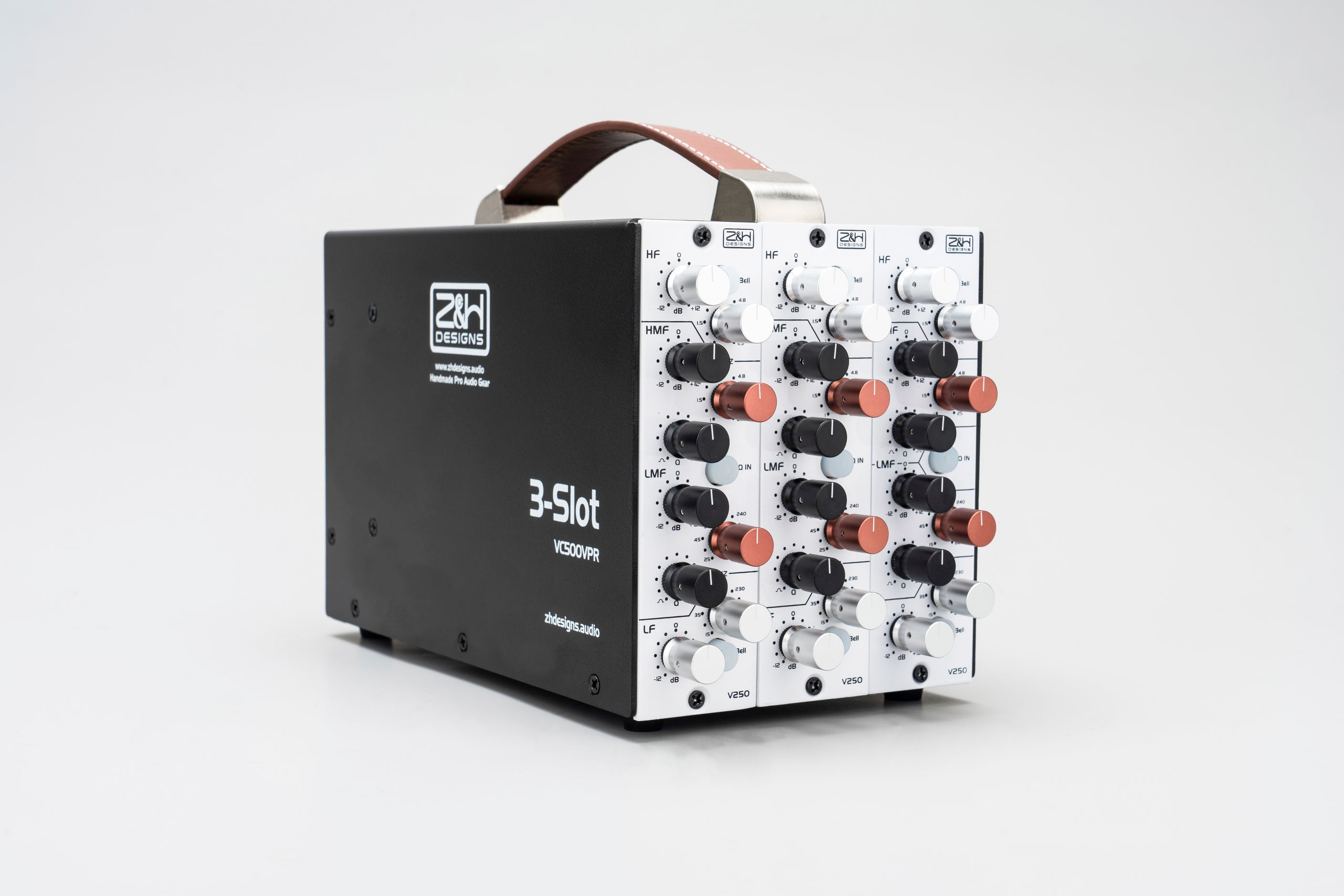
Workflow Reference

Treat it as a compact 500-series working rack, not just an entry-level box

Panel reference
The 3-slot version makes the most sense when portability, a small channel strip, or a focused starter chain matters more than future sprawl.
  • Three Slots Means Priorities Pick modules that solve a specific job instead of trying to mimic a full studio rack.
  • Rack Power Still Matters Even a compact lunchbox-style rack works best when you account for module current and phantom usage.
  • Portability Is Part Of The Point This format is useful because it can stay focused and travel more easily.

Quick Start

How to start with a 3-slot rack without filling it blindly

  • 1
    Choose the first three modules as a chain with a purpose, not as three unrelated favorites.
  • 2
    Confirm each module’s power requirement against the rack before calling the system finished.
  • 3
    Use the small format where portability or a compact front-end chain is genuinely the goal.
  • 4
    Document which module lives in which slot so troubleshooting later is simple.
  • 5
    If phantom-powered modules are involved, include that in your rack notes as part of the working setup.
Start simple, listen in context, and save only the settings you would actually want to recall.

Working Uses

Where owners usually find the 3-slot rack most useful

Portable Front-End Chain

Useful for a compact vocal, instrument, or mobile-recording setup.

Starter 500-Series Rig

A sensible place to begin when the goal is a small but deliberate module chain.

Focused Channel Strip

Best when three carefully chosen modules can cover the job without excess.

Space-Conscious Studios

A practical fit where a large permanent rack is not the best answer.

Working Notes

Notes that make a small rack feel intentional instead of temporary

Priorities Matter More Than Capacity

With only three slots, every module choice should reflect an actual workflow need.

Portability Changes What Matters

A compact rack rewards simple, reliable builds more than ambitious plans that fight the form factor.

Power Planning Still Counts

Small racks still need module-current discipline even if the system looks straightforward.

Slot Order Is Workflow Design

A smart slot map can make a three-slot rack feel much more useful than its size suggests.

Rear-Panel Notes Save Time

Write down how the rack is patched once it starts moving between sessions or rooms.

Leave Space For The Next Decision

The best small racks usually stay coherent because they were not forced to solve every possible need at once.

Specs

Key Specs

Format
500 series power rack, 3-slot package
Power Supply
Built-in power supply for stability and ultra-low noise
Connectivity
Neutrik gold-plated XLR ports
Dimensions
8.3'' (21.0 cm) x 11.0'' (28.0 cm) x 6.3'' (16.0 cm)
Weight
5.5 lbs (2.5 kg)
Last Updated
03/09/2025

Owner FAQ

Questions that usually come up once modules start going in

Planning Should I fill all three slots immediately?

Not necessarily. It is often better to build one purposeful chain than to fill the rack just because the slots are there.

A focused three-module workflow is usually stronger than a random collection.

Power Do I need to think about current draw on such a small rack?

Yes. A 500-series rack is still a power system. Confirm the modules fit the rack’s available power instead of assuming every combination is fine.

Small format does not mean power planning stops mattering.

Use Case When does the 3-slot make more sense than the 8-slot?

When the main goal is portability, a compact front-end chain, or a smaller studio footprint rather than broad expansion.

Think travel, desk space, and focused workflow.

Modules What kind of three-module chain makes sense first?

Usually a focused chain built around a real task — for example preamp, EQ, and compressor — rather than a random collection.

The rack should solve a job, not just hold desirable modules.

Documentation Why bother documenting slot order?

Because it speeds up troubleshooting and makes future rebuilds or travel setups much easier.

Once the rack leaves the studio even once, this note becomes more valuable than it first seems.

Phantom Why include phantom usage in rack notes?

Because a small rack often ends up as a mobile or reusable front end. Phantom state is part of recreating that chain safely.

It helps support too if something power-related ever feels unstable.

System What should I keep written down for a small 500-series rack?

Slot map, module order, current assumptions, and basic rear-panel patching are the notes that save time later.

A three-slot rack gets easier to trust when it feels deliberate instead of improvised.

Downloads & Resources

Keep the key files and working tools in one place

Setup Sheets Library

Use the shared Setup Sheets library for now.

WIP: Dedicated setup sheet pending.

Open Library
Quick Start Guide

Open the shorter operating guide when you need a fast setup reference without the full manual.

Open PDF
Guide As Reference

Use this page for first-session workflow, quick specs, and owner FAQ while the session is live.

Manual PDF

Keep a dedicated downloadable manual here once it is ready for release.

WIP: Dedicated manual PDF pending.

Use Manual Section
Support Prep

Use the support page when the issue moves beyond normal workflow and starts looking like routing, power, noise, current draw, phantom, or service.

Open Support

Service

What to have ready before you reach out

Rack Context List the exact modules in each slot when reporting a problem.
Power Context Mention whether phantom-powered modules or unusually high-current modules were installed.
Use Context Say whether the rack was being used as a mobile chain, studio chain, or test setup.